
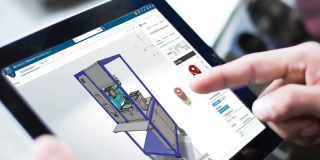
SOLIDWORKS xDesign is a next-generation browser-based 3D CAD solution that enables engineers, designers, and product development teams to create, modify, and collaborate on designs without software installation or dedicated workstations. Built on the 3DEXPERIENCE platform, xDesign combines powerful parametric modeling with cloud collaboration, secure data management, and real-time design access—all from a web browser.
Design Engineering teams today need faster design cycles and seamless collaboration, yet traditional desktop CAD often creates challenges such as software installation, hardware dependency, file version conflicts, and disconnected workflows.
SOLIDWORKS xDesign solves these challenges with a cloud-native, browser-based CAD solution that enables engineers to design from anywhere without installation. Built on the 3DEXPERIENCE platform, it provides secure cloud data management, built-in revision control, and a single source of truth for every project. Real-time collaboration, instant design sharing, automatic updates, and centralized project management help teams reduce delays, improve productivity, simplify IT management, and accelerate product development from concept to manufacturing.
SOLIDWORKS xDesign is a browser-based CAD software that lets engineers and product designers create, edit, and access 3D models from anywhere. With no software installation required, you can securely work from your office, home, or customer site using any internet-connected device. This cloud-based CAD solution provides the flexibility to design without being tied to a dedicated workstation.
Collaborate seamlessly with teams using cloud-based CAD collaboration tools. Share 3D designs instantly, collect feedback through markups, and review models in real time without sending multiple file versions. Everyone works on the latest design, improving communication and accelerating engineering workflows.
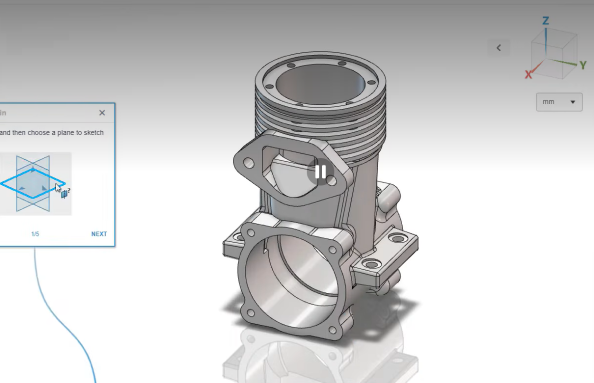
Bring products to market faster using integrated cloud-based 3D CAD tools. SOLIDWORKS xDesign combines parametric modeling, freeform design, sheet metal design, and structural design capabilities in one platform, enabling engineers to move efficiently from concept to manufacturing while maintaining design accuracy.
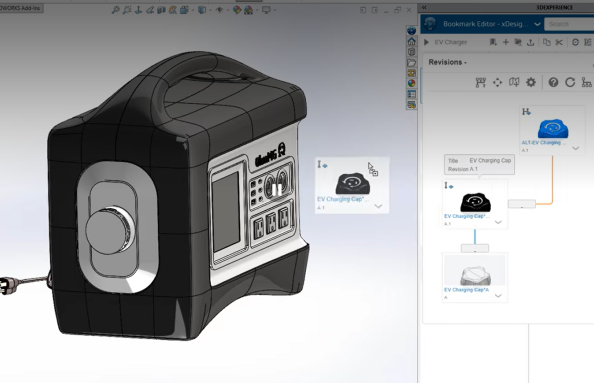
Protect your engineering data with secure cloud storage and built-in revision management. Every design change is automatically tracked, ensuring version accuracy, protecting intellectual property, and allowing your team to confidently work on the latest approved design without file duplication or confusion.
Eliminate the need for software installations, manual updates, and expensive CAD workstations. As a cloud-based CAD software, SOLIDWORKS xDesign is always up to date, reducing IT maintenance while giving engineering teams instant access to the latest features and performance improvements.
SOLIDWORKS xDesign is more than a 3D CAD software. Built on the 3DEXPERIENCE platform, it connects product design, engineering collaboration, documentation, and data management in one cloud-based environment. This unified workflow helps teams streamline product development from concept and design through manufacturing.
SOLIDWORKS xDesign brings together a complete set of cloud-based 3D CAD design tools within a single browser-based platform. Engineers and product designers can create parametric parts and assemblies, develop complex freeform surfaces, design sheet metal components, build structural frameworks, and generate manufacturing-ready drawings—all without switching between multiple applications.
As part of the 3DEXPERIENCE platform, SOLIDWORKS xDesign provides a connected engineering ecosystem where design, product data, collaboration, and project execution are managed within a single cloud environment. By replacing file-based workflows with centralized data management and real-time collaboration, organizations gain greater design visibility, improved revision control, enhanced cross-functional coordination, and a more efficient path from product ideation to manufacturing.
| Features | SOLIDWORKS xDesign | ||
| Part and Assembly Modeling | Premium | Professional | Standard |
| 3D Design | |||
| 3D Solid Modeling |  | | |
| Large assembly design capabilities | | | |
| Advanced surfacing | | | |
| Sheet metal | | | |
| Weldments | | | |
| Mold Design | | | |
| Read PCB data as 3D parts | | | |
| Direct model modification | | | |
| Full ECAD-MCAD data exchange | | | |
| Piping/tubing Design | | | |
| Electrical Cable/Harness design | | | |
| VIEW FULL MATRIX | |||
SOLIDWORKS xDesign is a browser-based 3D CAD solution built on the 3DEXPERIENCE platform. It enables engineers to design parts, assemblies, sheet metal components, and drawings while securely accessing and collaborating on projects from any location.
SOLIDWORKS xDesign pricing varies based on your licensing requirements and the applications included in your subscription. Contact BEACON for a customized quote and licensing guidance tailored to your business needs.
Yes. SOLIDWORKS xDesign is a browser-based 3D CAD application used to create parametric parts, assemblies, sheet metal components, and manufacturing drawings. The 3DEXPERIENCE platform provides the cloud infrastructure for storing design data, managing revisions, and enabling secure collaboration, allowing xDesign users to work from a connected engineering environment.
Yes. SOLIDWORKS xDesign enables secure design sharing, real-time reviews, and markup-based feedback through the 3DEXPERIENCE platform, ensuring everyone works with the latest design data.
Brigade Deccan Heights, 42, 14th Floor, 5th Mile, Tumkur Rd, Yeshwanthpur Industrial Area, Phase 1, Yeswanthpur, Bengaluru, Karnataka 560022
Rated 4.7/5 with a total of 62 reviews
#1120, 11th Floor, Solitaire business Hub - Baner, Balewadi High Street, Baner, Pune-411045
Rated 4.7/5 with a total of 17 reviews
801, 8th Floor, LODHA Supremus, I-Think Techno Campus,Kanjurmarg EAST - MUMBAI, MH, India – 400042.
Rated 5/5 with a total of 51 reviews
501, 5th Floor, Connekt Coworking Space, Gala Argos, Netaji Rd, Ellisbridge, Ahmedabad, Gujarat 380006
Rated 4.1/5 with a total of 7 reviews
Best Engineering Aids & Consultancies Ltd. No 306, Karunaa Conclave, 3rd Floor, AD Block, Shanthi Colony, Anna Nagar, Chennai - 600040
Rated 4.6/5 with a total of 16 reviews
A-101, 1st Floor, The Hub Complex, opp. Shete Hospital, Mahatma Nagar, Parijat Nagar, Nashik, Maharashtra 422005.
Best Engineering Aids & Consultancies Ltd (BEACON) Wellwork Workspaces, L1 - 1017A,B, Lower Ground Floor,Vasavi MPM Grand, Ameerpet, Hyderabad, Telangana 500073
2nd floor, Mokha Tower, Plot No.169, Mankapur Ring Rd, Trimurti Nagar, Nagpur, Maharashtra 440022


 Location