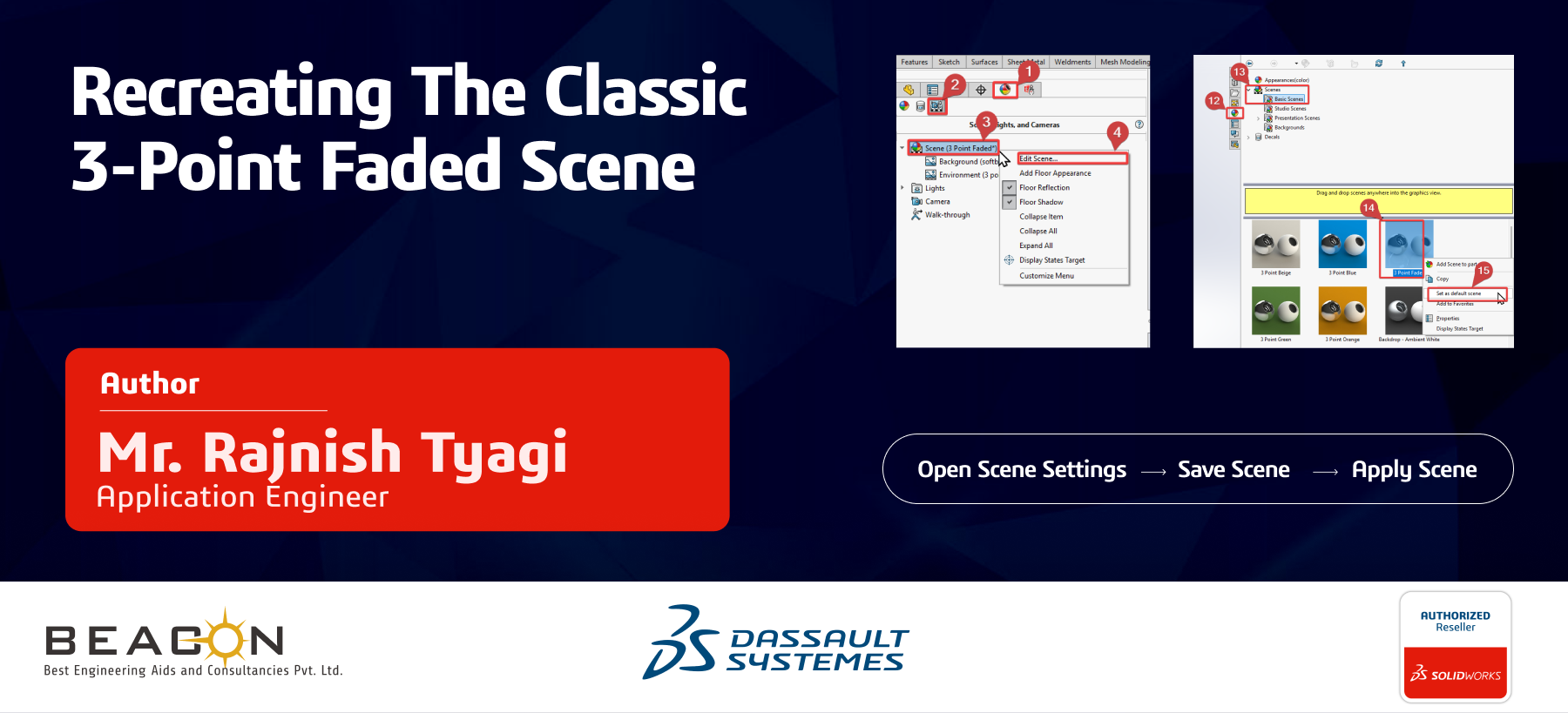


Adapting to Environment Changes in SOLIDWORKS 2026: Recreating the Classic 3-Point Faded Scene
With the latest release of SOLIDWORKS 2026, several improvements have been made to the scene and environment system. While these updates enhance visual quality, they may also change some familiar settings.
One noticeable change is the absence of the classic 3 Point Faded scene, which was widely used in earlier versions for its clean and balanced appearance.
Root Cause:
In previous versions, the 3 Point Faded scene was available by default. In SOLIDWORKS 2026, updates to HDR environments and scene management have led to the removal of this preset from the default library. This change is part of system enhancements, but it affects users who prefer the traditional visual style for design review and presentation.
Solution 1:
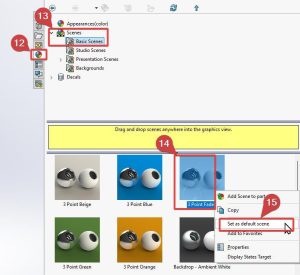
You can recreate the 3 Point Faded scene by following these steps:
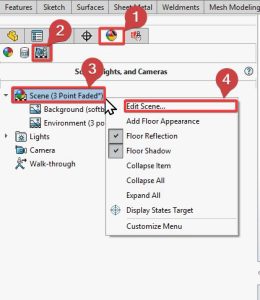
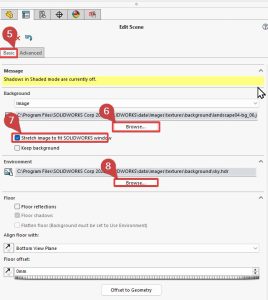
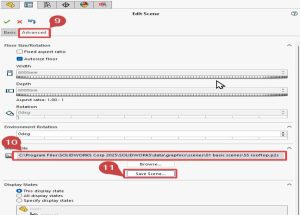
Conclusion:
While changes in SOLIDWORKS can initially feel disruptive, they also provide opportunities to refine and customize your workflow. By recreating the classic 3 Point Faded scene, you can retain the familiar visual style while benefiting from the improvements introduced in the 2026 release.
We Urge You To Call Us For Any Doubts & Clarifications That You May Have. We Are Eager to Talk To You
Call Us: +91 7406663589
Brigade Deccan Heights, 42, 14th Floor, 5th Mile, Tumkur Rd, Yeshwanthpur Industrial Area, Phase 1, Yeswanthpur, Bengaluru, Karnataka 560022
Rated 4.7/5 with a total of 62 reviews
#1120, 11th Floor, Solitaire business Hub - Baner, Balewadi High Street, Baner, Pune-411045
Rated 4.7/5 with a total of 17 reviews
801, 8th Floor, LODHA Supremus, I-Think Techno Campus,Kanjurmarg EAST - MUMBAI, MH, India – 400042.
Rated 5/5 with a total of 51 reviews
501, 5th Floor, Connekt Coworking Space, Gala Argos, Netaji Rd, Ellisbridge, Ahmedabad, Gujarat 380006
Rated 4.1/5 with a total of 7 reviews
Best Engineering Aids & Consultancies Ltd. No 306, Karunaa Conclave, 3rd Floor, AD Block, Shanthi Colony, Anna Nagar, Chennai - 600040
Rated 4.6/5 with a total of 16 reviews
Flat no F1, first floor, Nakhate corner, Eknath rang mandir road,New Usmanpura, Aurangabad, 431005.
A-101, 1st Floor, The Hub Complex, opp. Shete Hospital, Mahatma Nagar, Parijat Nagar, Nashik, Maharashtra 422005.
Best Engineering Aids & Consultancies Ltd (BEACON) Wellwork Workspaces, L1 - 1017A,B, Lower Ground Floor,Vasavi MPM Grand, Ameerpet, Hyderabad, Telangana 500073
2nd floor, Mokha Tower, Plot No.169, Mankapur Ring Rd, Trimurti Nagar, Nagpur, Maharashtra 440022


 Location